HDMI Port Not Working Auckland Repair Guide
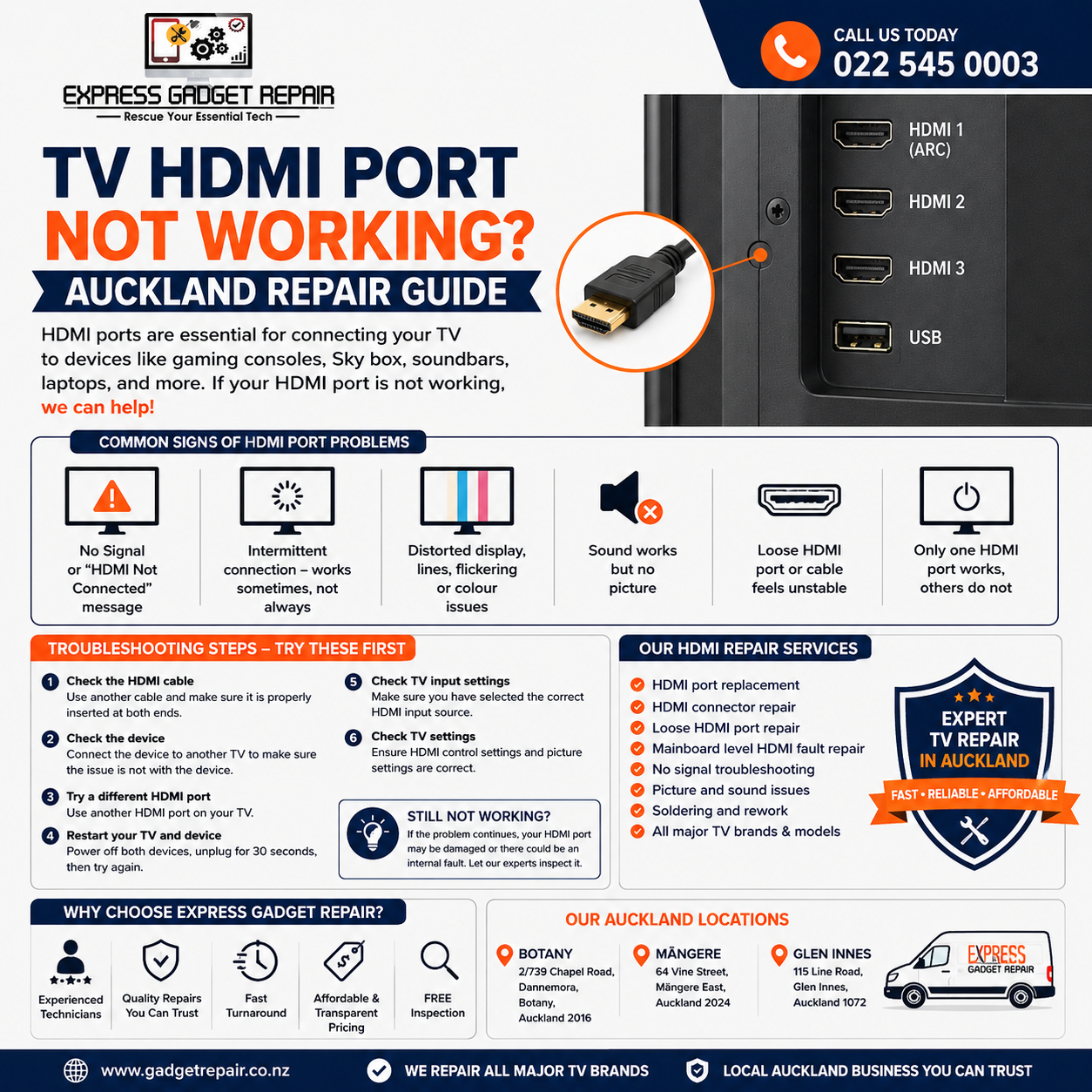
HDMI ports are one of the most important connections on a modern television. They allow you to connect devices such as PlayStation, Xbox, Sky Box, Apple TV, Chromecast, laptops, Blu-ray players, soundbars and other entertainment devices. When your TV HDMI port stops working, it can be frustrating, especially when the connected device works correctly on another television.
At Express Gadget Repair, we help customers across Auckland with TV and electronic device repair. If your TV HDMI port is not working, showing no signal, disconnecting intermittently or has been physically damaged, our technicians can inspect the television and help determine the most suitable repair solution.
Why Is My TV HDMI Port Not Working?
There are several possible reasons why an HDMI connection may stop working. The problem isn't always the HDMI port itself. It could be caused by the HDMI cable, connected device, TV settings or an internal electronic fault.
Some common causes include:
Faulty HDMI Cable
A damaged, worn or poor-quality HDMI cable can cause problems such as no signal, flickering, intermittent connections or no picture.
Before assuming your TV has a faulty HDMI port, try another known-working HDMI cable.
Loose HDMI Connection
An HDMI cable needs to be properly inserted into both the television and the connected device. If the cable is loose, the TV may repeatedly lose the signal.
Check both ends of the cable and make sure they are securely connected.
Connected Device Problem
Sometimes the television is working correctly and the problem is actually with the device connected to it.
For example, a faulty gaming console, Sky Box, streaming device or laptop can cause an HDMI connection problem.
Try connecting another device to the same HDMI port. This can help determine whether the problem is with the TV or the external device.
Incorrect TV Input
Your television may have several HDMI inputs. If your device is connected to HDMI 2 but the TV is set to HDMI 1, you may see a No Signal message.
Use your remote to select the correct HDMI input and check whether the picture appears.
HDMI Port Damage
Physical damage is another common reason for HDMI ports to stop working.
Repeatedly inserting and removing cables, forcing a connector into the port, pulling the cable sideways or accidentally hitting the cable can damage the HDMI connector.
A loose HDMI port may move when you insert the cable or may fail to maintain a stable connection.
Internal HDMI Circuit Fault
In some cases, the physical HDMI connector may look perfectly normal but the television can still have an internal HDMI-related fault.
Problems with the mainboard, HDMI circuitry or other internal components can cause a TV to stop recognising connected devices.
Professional diagnosis may be required to identify these faults.
Signs of a Faulty TV HDMI Port
If your TV HDMI port is not working, you may experience one or more of these symptoms:
-
No picture when connecting a device
-
"No Signal" message
-
"HDMI Not Connected" message
-
HDMI device repeatedly disconnecting
-
Picture working intermittently
-
Flickering or unstable picture
-
Distorted colours
-
Lines appearing on the screen
-
Sound working but no picture
-
HDMI cable feeling loose
-
One HDMI port working while another does not
-
Multiple HDMI ports failing to detect devices
These symptoms don't automatically mean that the HDMI port needs replacing. Testing is important before deciding on a repair.
TV HDMI Troubleshooting – Things to Try First
Before bringing your television in for repair, there are several simple troubleshooting steps you can try.
1. Check the HDMI Cable
Try another HDMI cable that you know works correctly.
Make sure the cable is securely connected to both the television and the external device.
If replacing the cable solves the problem, the television itself may not require repair.
2. Test the External Device
Connect your device to another TV or monitor if possible.
If the device works correctly on another screen, the issue may be related to your television or HDMI connection.
3. Try Another HDMI Port
If your television has multiple HDMI inputs, connect the device to another HDMI port.
For example, if HDMI 1 doesn't work, try HDMI 2 or HDMI 3.
If another HDMI port works normally, the problem may be limited to one specific input.
4. Restart the TV and Connected Device
Turn off your television and the connected device.
Unplug both from power, wait approximately 30 seconds, reconnect them and try the HDMI connection again.
A simple restart can sometimes resolve temporary communication problems between devices.
5. Check the TV Input Settings
Make sure the correct HDMI source is selected.
If your console is connected to HDMI 2, select HDMI 2 using the television remote.
Also check whether your television has HDMI control or device connection settings that may affect the connection.
When Does a TV HDMI Port Need Repair?
If you've tried different cables, devices and HDMI inputs but the problem continues, the HDMI port or internal electronics may require professional inspection.
A physically damaged HDMI connector may need to be replaced. In other cases, the fault may involve the HDMI circuitry on the television's mainboard.
Common causes of physical HDMI damage include:
-
Forcing the HDMI cable into the port
-
Pulling cables sideways
-
Accidental impact
-
Frequent plugging and unplugging
-
Damaged HDMI connectors
-
Loose internal connections
If the HDMI port is visibly damaged or the cable no longer stays securely connected, avoid forcing it because this can potentially cause further damage.
TV HDMI Port Repair Auckland
If you're searching for TV HDMI port repair Auckland, TV HDMI repair Auckland, HDMI connector repair Auckland, or TV repair near me, Express Gadget Repair can help.
Our technicians can inspect your television and determine whether the issue is related to the HDMI connector, cable, external device, mainboard or another internal component.
Depending on the television model and fault, possible repair services may include:
-
HDMI port replacement
-
HDMI connector repair
-
HDMI socket repair
-
HDMI-related mainboard diagnosis
-
No signal troubleshooting
-
Loose HDMI port repair
-
Picture and sound troubleshooting
-
Internal electronic diagnosis
-
TV repair for major brands and models
Every TV is different, so the exact repair solution depends on the model and the nature of the fault.
Can a Broken HDMI Port Be Repaired?
In many cases, a damaged HDMI port can be repaired or replaced. However, the feasibility of the repair depends on the condition of the connector, circuit board and surrounding components.
If the connector has simply become loose or damaged, a repair may be possible. If there is significant damage to the mainboard, additional work may be required.
This is why professional diagnosis is important before purchasing a replacement television.
Why Choose Express Gadget Repair?
At Express Gadget Repair, we understand how frustrating it can be when your TV stops working with your favourite gaming console, streaming device or set-top box.
We offer:
-
Experienced technicians
-
Free inspection
-
Fast turnaround on many repairs
-
Quality repair solutions
-
Transparent advice
-
Convenient Auckland locations
-
Support for a wide range of electronic devices
Our aim is to diagnose the actual problem and explain your repair options clearly.
TV Repair Auckland Locations
Express Gadget Repair has convenient locations around Auckland.
Botany
2/739 Chapel Road
Dannemora, Botany
Auckland 2016
Māngere
64 Vine Street
Māngere East
Auckland 2024
Glen Innes
115 Line Road
Glen Innes
Auckland 1072
If you're located in Botany, Māngere, Glen Innes or surrounding Auckland suburbs, you can visit the branch that is most convenient for you.
Get Your TV HDMI Port Checked
A TV HDMI port that isn't working doesn't necessarily mean you need to replace the entire television. The problem could be something as simple as a faulty cable or incorrect input, or it could involve a damaged HDMI connector or internal electronic component.
Before spending money on a new TV, have the problem professionally inspected.
If you need TV HDMI port repair in Auckland, contact Express Gadget Repair for a free inspection and quote.
Call 022 545 0003 or visit our Botany, Māngere or Glen Innes store.
Express Gadget Repair – Rescue Your Essential Tech.


