Professional MacBook Liquid Damage Repair The Advanced Diagnostic and Recovery in Auckland
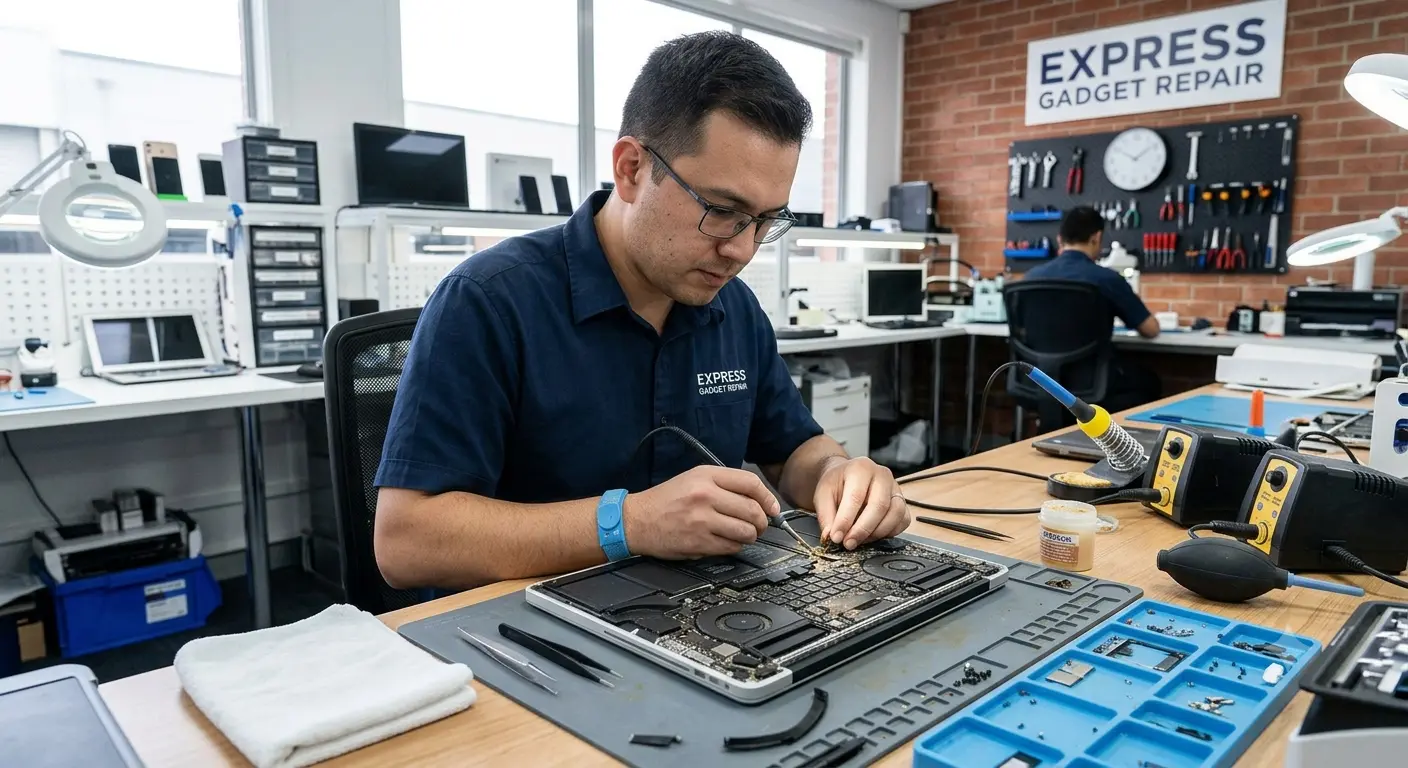
A liquid spill on a MacBook is a critical hardware emergency. Whether it is a morning coffee, water, or wine, liquid intrusion triggers immediate electrochemical reactions that threaten both your expensive hardware and your irreplaceable data.
At Express Gadget Repair, we specialize in micro-soldering and logic board data recovery. This guide outlines the immediate triage steps you must take, the hidden science of electronic corrosion, and how our specialized diagnostics save devices deemed "unrepairable" by standard depots.
The 60-Second Triage: Immediate Mitigation Protocol
If a spill has just occurred, do not attempt to back up files or shut down gracefully via the macOS menu. Seconds matter to prevent a catastrophic short circuit.
Why "Waiting for It to Dry" Is a Fatal Mistake
A common misconception is that a MacBook is safe once the liquid evaporates. While the visible water may disappear, the real danger lies in what is left behind.
-
The Threat of Corrosion: Water contains dissolved minerals, while coffee, juices, and alcohol contain acids and sugars. When these liquids dry, they leave behind conductive residues.
-
Electrolysis: If residual voltage remains in the battery, the combination of electricity, moisture, and minerals causes near-instantaneous electrolysis. This process literally eats away the microscopic copper traces and resistors on your logic board.
-
The Rice Myth Warning: Placing a MacBook in rice is entirely ineffective. It fails to extract internal moisture and introduces fine starch dust into the cooling fans and display layers, creating a destructive sludge inside the chassis.
The Express Gadget Repair Logic Board Recovery Process
When you bring your liquid-damaged Mac to our Auckland service center, our certified technicians bypass superficial fixes to perform an advanced component-level restoration.
| Diagnostic & Repair Stage | Technical Procedure & Purpose |
| Step 1: Total Power Isolation | We immediately open the chassis and physically disconnect the battery terminal to eliminate all standby voltage. |
| Step 2: Ultrasonic Cleaning | The logic board is fully stripped and placed into an industrial ultrasonic cleaner filled with specialized chemical solvents. This blasts away microscopic corrosion and mineral deposits under components. |
| Step 3: Microscopic Inspection | Technicians analyze the board under high-power microscopes, checking for blown capacitors, burned traces, or corroded IC chips. |
| Step 4: Component-Level Repair | Using precision micro-soldering equipment, we replace individual damaged chips and rebuild broken circuits, avoiding the massive expense of a full board replacement. |
[Spill Event] ➔ [Hard Shutdown] ➔ [Ultrasonic Cleaning] ➔ [Micro-Soldering Repair] ➔ [Data Restored]
Risk-Free Professional MacBook Diagnostics in Auckland
At Express Gadget Repair, we operate under a strict No Fix, No Fee diagnostic policy. If the liquid damage has compromised the core layers of the silicon beyond safe, reliable operation, you do not pay for the repair attempt.
Because corrosion expands exponentially with every passing hour, bringing your device in immediately yields a 90%+ success rate for full device and data recovery.
Visit Our Auckland Repair Centre Today
No appointments are necessary for liquid damage emergencies. Bring your device directly to our lab for immediate triage.
-
Location: 2/739 Chapel Road, Dannemora, Auckland 2016
-
Contact Support: 022 545 0003 | 09 390 0006
-
⏰ Operating Hours: Monday–Friday: 8:00 AM – 7:00 PM | Saturday–Sunday: 9:00 AM – 5:00 PM


